ToCard

ToCard – Simple To‑Do List

Handwritten. Full focus.

Your tasks, written by hand, fresh every day. The simplest to-do list for iPhone Duo and iPad – with Apple Pencil. Also runs on Mac.

Download on the App Store

Preview video

Preview video (30 seconds, no sound): tap the widget, handwriting appears on the card, the widget shows it, a task is checked off, pages turn in the archive.

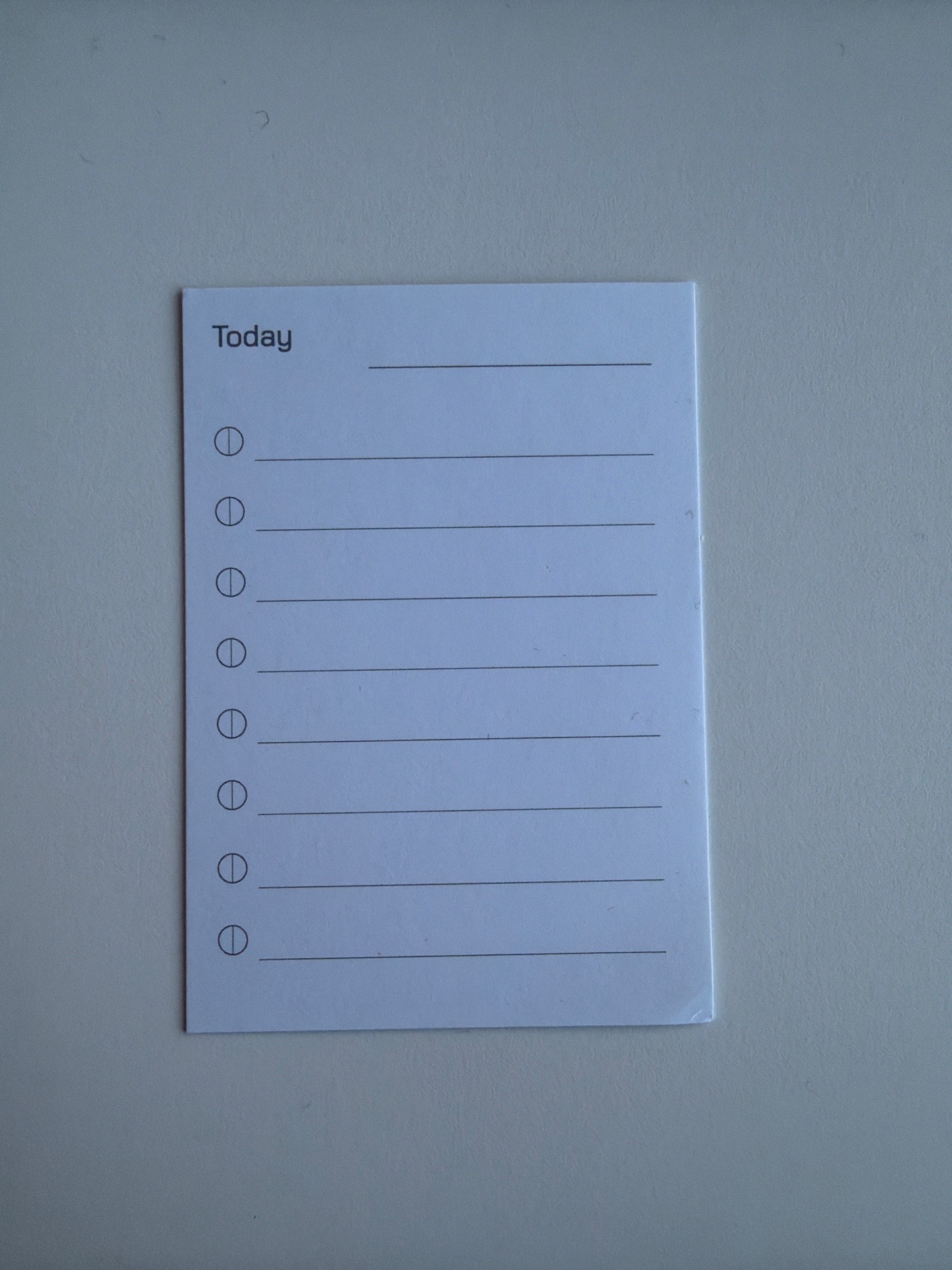
The real paper card: “Today” at the top, eight writing lines with circles to check off below

One card a day, for years.

Every morning I write my tasks on a fresh index card. What you write by hand stays in your mind, and writing your unfinished tasks down anew each day makes you take them more seriously than an endless digital list.

ToCard brings this principle to iPhone Duo and iPad. No projects, no tags, no menus. Just one card for today. We use the app ourselves every day.

Axel Fischer, Fischer Akkumulatorentechnik GmbH, Neuss, Germany
What ToCard looks like

ToCard on the unfolded iPhone Duo next to the real paper card

From paper card to iPhone.

The paper card principle, now on iPhone Duo.

Handwriting appearing on the card for today

Just write it by hand.

With Apple Pencil or your finger, one card a day.

Card for today with five tasks, two of them checked off and crossed out

Check it off. Done.

Completed tasks are crossed out and stay readable.

Large ToCard widget with handwriting on the Home Screen

Always in view.

The large widget shows your handwriting on the Home Screen.

Archive of earlier cards with a page being turned

A fresh card every day.

Leaf through earlier days in the archive.

The same card on iPhone Duo and iPad

iPhone and iPad. Always in sync.

Through your own iCloud, no account with us.

How it works

  • Open, write, done – one card a day
  • The large widget shows your handwriting on the Home Screen
  • Check off completed tasks with your finger, they get crossed out
  • Limited lines, so you focus on what matters
  • Archive of earlier days to leaf through
  • Also runs on Macs with Apple silicon – on the MacBook Pro with touchscreen you write directly with your finger
  • iCloud sync between iPhone, Mac and iPad
  • Dark Mode
  • Buy once, no subscription, no ads, no account

Support

Questions or problems? Write to tocard@akkufischer.de. We reply within one working day.

How do I buy ToCard, and what does it cost?

You buy ToCard once in the App Store and use it on iPhone and iPad and on your Mac. No subscription, no in-app purchases, no ads. The App Store shows you the current price.

I have a new device. Do I have to buy it again?

No. Open the App Store, tap your profile picture (Account) at the top right and then Purchased. There you find ToCard and download it again for free with the same Apple Account.

How does sync between iPhone and iPad work?

Through iCloud. Sign in on all devices with the same Apple Account and keep iCloud turned on for ToCard (Settings → your name → iCloud). Sync keeps your cards the same on all devices. You can also turn it off in ToCard's settings.

Does ToCard run on the Mac?

On Macs with Apple silicon, ToCard runs as an iPad app. On the MacBook Pro with touchscreen you write with your finger.

Do I need an Apple Pencil?

No. Apple Pencil gives the finest handwriting; without a pencil you write with your finger. You check off completed tasks with your finger.

Where is my data stored?

Only on your devices and, if you use sync, in your own iCloud. We cannot see it. More in the privacy policy.

How do I delete my data?

Delete the app from your devices. You remove the copy in iCloud under Settings → Apple Account (your name) → iCloud → Manage Storage → ToCard. We hold no cards that we would need to delete.